Deploying the core security layer

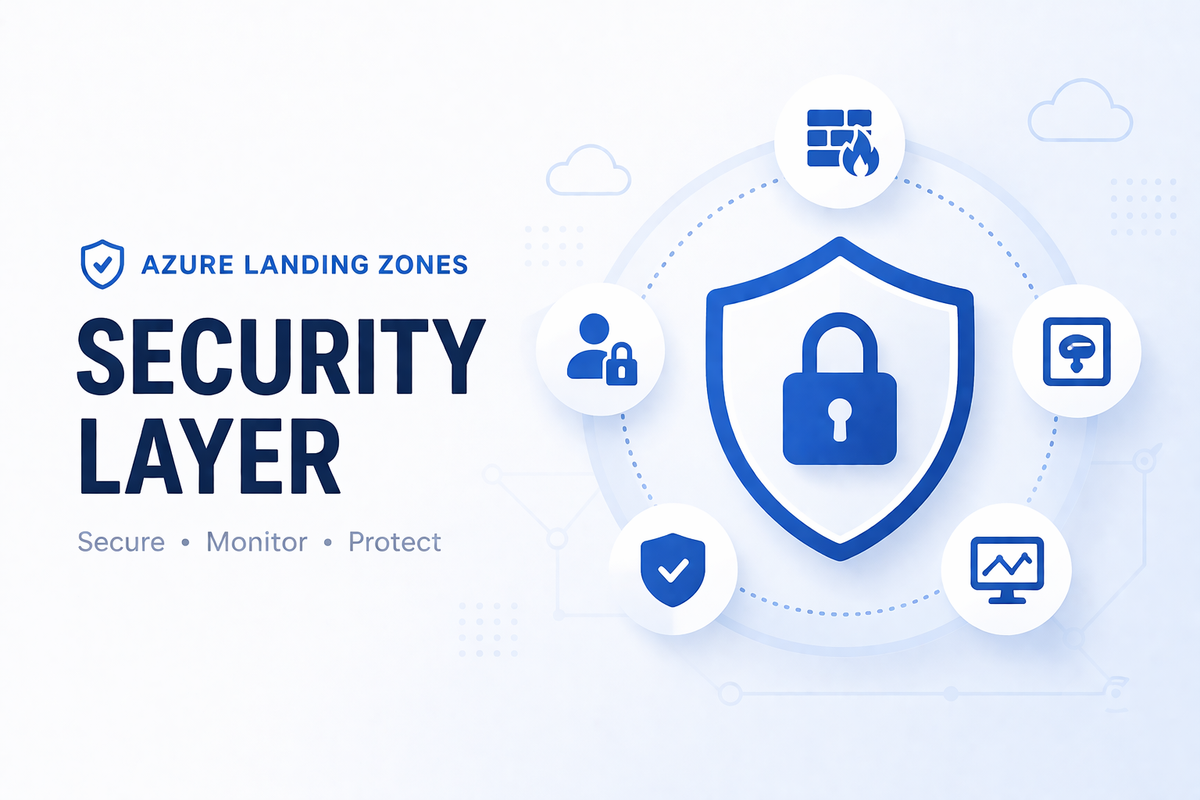
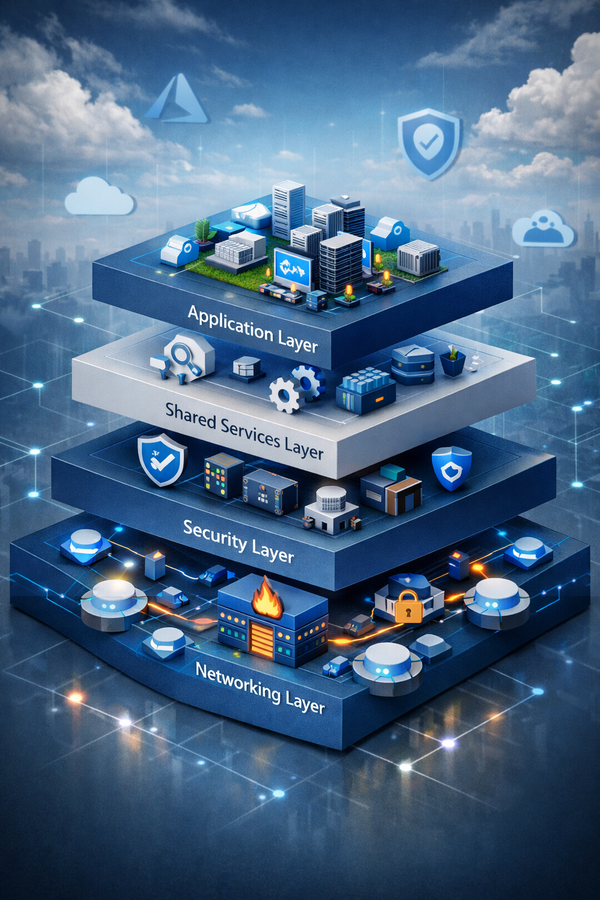
The networking layer established the traffic control plane: a hub VNet with a firewall at its centre, subnets reserved for security infrastructure, and route tables that force spoke traffic through inspection. This layer occupies those reserved spaces. By the end of this article you will have Azure Bastion running in AzureBastionSubnet, a platform Key Vault with a private endpoint in snet-pe, a centralised Log Analytics Workspace collecting telemetry from every hub resource, and Microsoft Defender for Cloud plans active on the subscription — all wired together in a single Terraform apply.
Part 1: What this deploys
What each component does and why
10.100.0.0/20"] S1["GatewaySubnet
VPN Gateway"] S2["AzureFirewallSubnet
Azure Firewall"] S3["AzureBastionSubnet
10.100.2.0/26"] S4["snet-pe
10.100.5.0/24"] S1 --> S2 --> S3 --> S4 end subgraph RG_SEC["rg-security-eastus"] NSG["NSG
nsg-bastion"] BASTION["Azure Bastion
Standard SKU"] KV["Platform Key Vault
RBAC + Private Endpoint"] PE["Private Endpoint
pe-kv-platform"] NSG --> BASTION --> PE --> KV end subgraph RG_MGMT["rg-management-eastus"] LAW["Log Analytics Workspace"] DCR1["DCR
VM Insights"] DCR2["DCR
Change Tracking"] DCR3["DCR
Defender for SQL"] AA["Automation Account"] UAMI["UAMI
uami-ama"] LAW --> DCR1 --> DCR2 --> DCR3 --> AA --> UAMI end FWP["Firewall Policy RCG
Priority 1000"] end DIAG["Diagnostic Settings"] DEFENDER["Defender for Cloud"] CONTACT["Security Contact
secops@contoso.com"] %% Vertical external flow FWP --> S2 NSG --> S3 PE --> S4 DIAG --> LAW DEFENDER --> CONN CONTACT --> CONN
Log Analytics Workspace is the telemetry foundation of this layer. Observability is a security control — you cannot reason about posture, detect anomalies, or investigate incidents without a centralised data store. Diagnostic settings on the Firewall, Bastion, VPN Gateway, and Key Vault all require the workspace to exist before they can be configured, so the workspace must be provisioned in the same apply as the resources it observes.
Automation Account is linked to the workspace for job log collection and will be used in later layers for operational runbooks (certificate rotation, patch scheduling).
Data Collection Rules are the modern (post-MMA) mechanism for Azure Monitor Agent to collect data. Three DCRs are created: VM Insights (CPU, memory, disk, network metrics), Change Tracking (software inventory, file changes, registry changes), and Defender for SQL (query telemetry for on-machine SQL).
Azure Bastion (Standard SKU) provides browser-based and native-client SSH/RDP access to VMs in the hub and peered spokes without exposing management ports to the internet. The Zero Trust implication: VMs across this estate have no public IPs and no inbound management rules. Bastion is the only sanctioned ingress path for interactive access. The AzureBastionSubnet was reserved in the networking layer specifically for this host.
Platform Key Vault stores certificates and bootstrap credentials used by the platform team — items that predate workload Key Vaults and exist at the infrastructure layer (Bastion SSL certificates, Automation Account credentials, future disk encryption keys). The Zero Trust implication: public network access is disabled. The vault is only reachable via its private endpoint, whose NIC sits in snet-pe and whose DNS registration points to the hub’s privatelink.vaultcore.azure.net zone.
NSG on AzureBastionSubnet is mandatory. Azure Bastion will fail to provision without exactly the right eight rules in place. The AzureFirewallSubnet and GatewaySubnet cannot have NSGs — Azure rejects deployments that attempt it.
Defender for Cloud plans establish the subscription-wide security posture: Defender for Servers P2 (EDR, vulnerability scanning, JIT), CSPM (attack path analysis, agentless scanning), Containers, Key Vault, Storage, and App Services. There is no AVM module for Defender for Cloud — these are deployed using native azurerm_security_center_subscription_pricing resources.
Firewall policy rule collection groups extend the base policy created in the networking layer. Security-layer rules (MDE telemetry, Azure Monitor Agent egress, AzureMonitor and EntraID service tag allowances) use priority 1000–1999, leaving the networking layer’s 200–999 range untouched.
Cost awareness
| Resource | Approx. cost |
|---|---|
| Azure Bastion Standard (2 scale units) | ~$0.38/hr + $0.10/GB data |
| Log Analytics (PerGB2018, 90-day retention) | ~$2.30/GB ingested |
| Automation Account (Basic, runbook mins) | Minimal at tutorial scale |
| Key Vault Standard | ~$0.04/10K operations |
| Defender for Servers P2 | ~$14.60/server/month (pro-rated) |
| Defender CSPM | ~$5/billable resource/month |
| Other Defender plans | Per-resource (see plan table in Step 8) |
Defender for Cloud plans are subscription-scoped and bill for the duration they are enabled. Destroy this layer when the tutorial session ends to avoid ongoing Defender charges, particularly for Servers P2 and CSPM.
Part 2: Deployment
Prerequisites
- The networking layer deployed and its state accessible at
connectivity.terraform.tfstate - Terraform 1.12 or later, Azure CLI authenticated
- Owner or Security Admin permissions on the Connectivity subscription (required for enabling Defender plans and creating security contacts)
- The same remote state storage account from the networking layer
Step 1: Create the project structure
security/
├── versions.tf
├── providers.tf
├── backend.tf
├── variables.tf
├── locals.tf
├── main.tf
├── outputs.tf
└── terraform.tfvars
Step 2: versions.tf
terraform {
  required_version = ">= 1.12"

  required_providers {
    azurerm = {
      source  = "hashicorp/azurerm"
      version = "~> 4.35"
    }
    azapi = {
      source  = "azure/azapi"
      version = "~> 2.4"
    }
  }
}
The avm-ptn-alz-management module requires azurerm ~> 4.35 — a tighter lower bound than the networking layer’s ~> 4.0. Both layers run against the same installed provider version as long as it satisfies both constraints.
Step 3: providers.tf
provider "azurerm" {
  subscription_id = var.connectivity_subscription_id
  features {
    key_vault {
      # Prevents accidental permanent deletion during destroy.
      # Remove this block only after setting purge_protection_enabled = false
      # and explicitly planning a destroy.
      purge_soft_delete_on_destroy    = false
      recover_soft_deleted_key_vaults = true
    }
  }
}

provider "azapi" {
  subscription_id = var.connectivity_subscription_id
}
Both providers must target the same subscription. The avm-ptn-alz-management module uses AzAPI internally to create Data Collection Rules, and it resolves the DCR parent subscription from the AzAPI provider’s configured subscription — not from AzureRM. If the two providers point at different subscriptions (a common pattern in multi-subscription ALZ deployments where AzureRM targets Connectivity but AzAPI is unconfigured and falls back to the default), DCRs are created in the wrong subscription. Setting subscription_id explicitly on both providers eliminates this ambiguity.
Step 4: backend.tf
terraform {
  backend "azurerm" {
    resource_group_name  = "rg-terraform-state"
    storage_account_name = "sttfstate<your-value>"
    container_name       = "tfstate"
    key                  = "security.terraform.tfstate"
    use_azuread_auth     = true
  }
}
The state key security.terraform.tfstate is distinct from the networking layer’s connectivity.terraform.tfstate. This is the state boundary that allows the security layer to be destroyed and redeployed independently without touching hub networking.
The key_vault features block matters for the tutorial workflow. Without purge_soft_delete_on_destroy = false, a terraform destroy followed by a terraform apply with the same Key Vault name will fail — Azure retains soft-deleted vaults for 90 days and blocks name reuse. For a session where you intend to re-create the vault, either set this to true or use a unique name each time.
Step 5: variables.tf
variable "connectivity_subscription_id" {
  type        = string
  description = "The subscription ID targeted by this layer."
}

variable "location" {
  type        = string
  description = "Azure region for all security layer resources."
  default     = "eastus"
}

variable "networking_state_storage_account" {
  type        = string
  description = "Storage account name holding the networking layer state."
}

variable "bastion_sku" {
  type        = string
  description = "Azure Bastion SKU. Standard supports native client and tunneling. Premium adds session recording."
  default     = "Standard"

  validation {
    condition     = contains(["Basic", "Standard", "Premium"], var.bastion_sku)
    error_message = "bastion_sku must be Basic, Standard, or Premium."
  }
}

variable "security_contact_email" {
  type        = string
  description = "Email address for Defender for Cloud security alerts."
}

variable "security_contact_phone" {
  type        = string
  description = "Phone number for Defender for Cloud security alerts."
  default     = ""
}

variable "law_retention_days" {
  type        = number
  description = "Log Analytics Workspace retention in days. Valid range: 30–730."
  default     = 90
}

variable "enable_sentinel" {
  type        = bool
  description = "Onboard Microsoft Sentinel to the Log Analytics Workspace."
  default     = false
}

variable "tags" {
  type        = map(string)
  description = "Tags applied to all resources in addition to the default managed tags."
  default     = {}
}
networking_state_storage_account is separated from connectivity_subscription_id because the state storage account name cannot be inferred. It was generated with a random suffix during the networking layer bootstrap and must be passed explicitly.
Step 6: locals.tf
locals {
  common_tags = merge(
    {
      managed-by  = "terraform"
      layer       = "security"
      environment = "production"
    },
    var.tags
  )

  rg_security_name   = "rg-security-${var.location}"
  rg_management_name = "rg-management-${var.location}"

  # Resolved from networking layer remote state
  hub_vnet_id             = data.terraform_remote_state.networking.outputs.hub_vnet_id
  firewall_id             = data.terraform_remote_state.networking.outputs.firewall_id
  firewall_policy_id      = data.terraform_remote_state.networking.outputs.firewall_policy_id
  vpn_gateway_id          = data.terraform_remote_state.networking.outputs.vpn_gateway_id
  snet_pe_id              = data.terraform_remote_state.networking.outputs.snet_pe_id
  azure_bastion_subnet_id = data.terraform_remote_state.networking.outputs.azure_bastion_subnet_id
  private_dns_zone_ids    = data.terraform_remote_state.networking.outputs.private_dns_zone_ids
}
Step 7: main.tf
The file is organised into seven sections. The order matters within the section for Terraform’s dependency graph — the management module must be declared before the diagnostic settings that reference its outputs.
7a — Networking state reference
data "terraform_remote_state" "networking" {
  backend = "azurerm"
  config = {
    resource_group_name  = "rg-terraform-state"
    storage_account_name = var.networking_state_storage_account
    container_name       = "tfstate"
    key                  = "connectivity.terraform.tfstate"
    use_azuread_auth     = true
  }
}

data "azurerm_client_config" "current" {}
data.azurerm_client_config.current provides the tenant ID and deploying principal’s object ID. Both are needed — the tenant ID is a required input to the Key Vault module, and the object ID is used to grant the deploying principal Key Vault Administrator so certificates and secrets can be created in the same session.
7b — Resource groups
resource "azurerm_resource_group" "security" {
  name     = local.rg_security_name
  location = var.location
  tags     = local.common_tags
}

resource "azurerm_resource_group" "management" {
  name     = local.rg_management_name
  location = var.location
  tags     = local.common_tags
}
Two resource groups with distinct ownership boundaries. The management RG holds the Log Analytics Workspace and Automation Account — resources that platform and security operations teams access. The security RG holds Bastion and Key Vault — resources with tighter access controls.
7c — Log Analytics Workspace and management resources
module "management" {
  source  = "Azure/avm-ptn-alz-management/azurerm"
  version = "0.9.0"

  location                     = var.location
  resource_group_name          = azurerm_resource_group.management.name
  log_analytics_workspace_name = "law-platform-${var.location}"
  automation_account_name      = "aa-platform-${var.location}"

  # Required even when not deploying the Automation Account
  linked_automation_account_creation_enabled = true
  automation_account_sku_name                = "Basic"

  log_analytics_workspace_sku               = "PerGB2018"
  log_analytics_workspace_retention_in_days = var.law_retention_days
  log_analytics_workspace_daily_quota_gb    = null  # No cap — review before production

  # Sentinel onboarding: pass {} to enable with defaults, null to skip
  sentinel_onboarding = var.enable_sentinel ? {} : null

  # Data Collection Rules for Azure Monitor Agent
  # These are consumed by the ALZ policy layer when it assigns DCR associations
  data_collection_rules = {
    change_tracking = {
      name = "dcr-change-tracking-${var.location}"
    }
    vm_insights = {
      name = "dcr-vm-insights-${var.location}"
    }
    defender_sql = {
      name = "dcr-defender-sql-${var.location}"
      enable_collection_of_sql_queries_for_security_research = false
    }
  }

  user_assigned_managed_identities = {
    ama = { name = "uami-ama-${var.location}" }
  }

  tags = local.common_tags
}
Output naming. The module’s top-level outputresource_idis the Log Analytics Workspace ARM resource ID — the value you pass tolog_analytics_workspace_idin everyazurerm_monitor_diagnostic_settingblock. This naming is an AVM convention for pattern modules: the primary resource’s ID is the module’s primary output. The workspace’s GUID (the 36-character identifier shown in the Azure portal under “Workspace ID”) is accessed separately viamodule.management.log_analytics_workspace.workspace_id. These two values are different and used in different contexts.
Do not addSecurityInsightstolog_analytics_solution_plans. The module’s README explicitly warns against this: Sentinel onboarding through the solution-plans path is deprecated. Usesentinel_onboarding = {}instead, which takes the supported API path.
7d — Bastion NSG and subnet association
The AzureBastionSubnet requires exactly the following eight rules. Azure will reject connections silently if any rule is missing — the health probe traffic on port 443 from AzureLoadBalancer is the most commonly omitted, and its absence causes Bastion to show as degraded in the portal without an obvious error.
resource "azurerm_network_security_group" "bastion" {
  name                = "nsg-bastion-${var.location}"
  location            = azurerm_resource_group.security.location
  resource_group_name = azurerm_resource_group.security.name
  tags                = local.common_tags

  # --- Inbound rules ---

  security_rule {
    name                       = "AllowHttpsInbound"
    priority                   = 120
    direction                  = "Inbound"
    access                     = "Allow"
    protocol                   = "Tcp"
    source_address_prefix      = "Internet"
    source_port_range          = "*"
    destination_address_prefix = "*"
    destination_port_range     = "443"
  }

  security_rule {
    name                       = "AllowGatewayManagerInbound"
    priority                   = 130
    direction                  = "Inbound"
    access                     = "Allow"
    protocol                   = "Tcp"
    source_address_prefix      = "GatewayManager"
    source_port_range          = "*"
    destination_address_prefix = "*"
    destination_port_range     = "443"
  }

  security_rule {
    name                       = "AllowAzureLoadBalancerInbound"
    priority                   = 140
    direction                  = "Inbound"
    access                     = "Allow"
    protocol                   = "Tcp"
    source_address_prefix      = "AzureLoadBalancer"
    source_port_range          = "*"
    destination_address_prefix = "*"
    destination_port_range     = "443"
  }

  security_rule {
    name                       = "AllowBastionHostCommunication"
    priority                   = 150
    direction                  = "Inbound"
    access                     = "Allow"
    protocol                   = "Tcp"
    source_address_prefix      = "VirtualNetwork"
    source_port_range          = "*"
    destination_address_prefix = "VirtualNetwork"
    destination_port_ranges    = ["8080", "5701"]
  }

  # --- Outbound rules ---

  security_rule {
    name                       = "AllowSshRdpOutbound"
    priority                   = 100
    direction                  = "Outbound"
    access                     = "Allow"
    protocol                   = "Tcp"
    source_address_prefix      = "*"
    source_port_range          = "*"
    destination_address_prefix = "VirtualNetwork"
    destination_port_ranges    = ["22", "3389"]
  }

  security_rule {
    name                       = "AllowAzureCloudOutbound"
    priority                   = 110
    direction                  = "Outbound"
    access                     = "Allow"
    protocol                   = "Tcp"
    source_address_prefix      = "*"
    source_port_range          = "*"
    destination_address_prefix = "AzureCloud"
    destination_port_range     = "443"
  }

  security_rule {
    name                       = "AllowBastionCommunication"
    priority                   = 120
    direction                  = "Outbound"
    access                     = "Allow"
    protocol                   = "Tcp"
    source_address_prefix      = "VirtualNetwork"
    source_port_range          = "*"
    destination_address_prefix = "VirtualNetwork"
    destination_port_ranges    = ["8080", "5701"]
  }

  security_rule {
    name                       = "AllowHttpOutbound"
    priority                   = 130
    direction                  = "Outbound"
    access                     = "Allow"
    protocol                   = "Tcp"
    source_address_prefix      = "*"
    source_port_range          = "*"
    destination_address_prefix = "Internet"
    destination_port_range     = "80"
  }
}

resource "azurerm_subnet_network_security_group_association" "bastion" {
  subnet_id                 = local.azure_bastion_subnet_id
  network_security_group_id = azurerm_network_security_group.bastion.id
}
The outbound port 80 rule to Internet is for certificate revocation list (CRL) checks. It is not optional — without it, TLS certificate validation for the Bastion HTTPS endpoint fails. The AzureLoadBalancer inbound rule permits health probe traffic; its absence causes the Bastion to appear as “degraded” without surfacing a diagnostic error.
7e — Azure Bastion
module "bastion" {
  source  = "Azure/avm-res-network-bastionhost/azurerm"
  version = "0.9.0"

  name      = "bas-hub-${var.location}"
  location  = azurerm_resource_group.security.location
  parent_id = azurerm_resource_group.security.id   # Must be resource ID, not name
  sku       = var.bastion_sku
  scale_units = 2  # Minimum for Standard SKU; controls concurrent session capacity

  ip_configuration = {
    name             = "bas-ipcfg"
    subnet_id        = local.azure_bastion_subnet_id
    create_public_ip = true
    public_ip_address_name = "pip-bas-hub-${var.location}"
  }

  # Standard SKU features
  file_copy_enabled  = true   # SCP/SFTP file transfer to target VMs
  ip_connect_enabled = true   # Connect by IP rather than resource ID
  tunneling_enabled  = true   # Native SSH/RDP client support

  # Diagnostic settings — wired to LAW in same apply
  diagnostic_settings = {
    to_law = {
      workspace_resource_id          = module.management.resource_id
      log_analytics_destination_type = "Dedicated"
    }
  }

  tags = local.common_tags

  depends_on = [azurerm_subnet_network_security_group_association.bastion]
}
Breaking change in v0.8.3. Theparent_idinput was renamed fromresource_group_namein this version. It now accepts the resource group’s ARM resource ID (/subscriptions/.../resourceGroups/rg-security-eastus), not its name. The module’s README example was not updated at the time of writing — trust the variable type signature, not the example.
The depends_on ensures the NSG association is complete before Bastion is provisioned. Bastion performs pre-provisioning subnet validation; if the NSG is still being applied during Bastion’s create operation, the validation can fail.
7f — Platform Key Vault
module "key_vault" {
  source  = "Azure/avm-res-keyvault-vault/azurerm"
  version = "0.10.2"

  name                = "kv-platform-${var.location}"
  location            = azurerm_resource_group.security.location
  resource_group_name = azurerm_resource_group.security.name
  tenant_id           = data.azurerm_client_config.current.tenant_id

  # Override defaults — the module defaults to "premium" SKU and public access enabled
  sku_name                      = "standard"
  public_network_access_enabled = false
  purge_protection_enabled      = true
  soft_delete_retention_days    = 90

  # Deny all network access; all traffic must arrive via the private endpoint
  network_acls = {
    bypass         = "AzureServices"
    default_action = "Deny"
  }

  # RBAC is the default authorization model (legacy_access_policies_enabled = false)
  # Grant the deploying identity Key Vault Administrator so it can create secrets
  # during this and subsequent applies
  role_assignments = {
    deployer = {
      role_definition_id_or_name = "Key Vault Administrator"
      principal_id               = data.azurerm_client_config.current.object_id
    }
  }

  # Private endpoint — module creates the endpoint, connection, and DNS zone group
  private_endpoints = {
    primary = {
      name               = "pe-kv-platform-${var.location}"
      subnet_resource_id = local.snet_pe_id
      # Links to the privatelink.vaultcore.azure.net zone from the networking layer
      private_dns_zone_resource_ids = [
        local.private_dns_zone_ids["privatelink.vaultcore.azure.net"]
      ]
    }
  }

  # Diagnostic settings — all Key Vault operations logged to LAW
  diagnostic_settings = {
    to_law = {
      workspace_resource_id          = module.management.resource_id
      log_analytics_destination_type = "Dedicated"
      log_groups                     = ["audit", "allLogs"]
    }
  }

  tags = local.common_tags
}
Module default behaviour. This module ships with three defaults that are not least-privilege and must be explicitly overridden:sku_name = "premium"(HSM-backed, more expensive),public_network_access_enabled = true(vault accessible from the internet), andpurge_protection_enabled = true(cannot be reversed once set). The tutorial configuration above explicitly sets all three to their correct values.
Zero Trust reasoning.public_network_access_enabled = falsecombined withnetwork_acls.default_action = "Deny"means the vault is completely unreachable except via the private endpoint. The private endpoint NIC lives insnet-pein the hub VNet. The NSG on that subnet denies all inbound traffic except from within the hub CIDR — a VM in a spoke can only reach this Key Vault after its traffic passes through the hub firewall, which applies FQDN and application rules to the path.
The Key Vault module’s built-in private_endpoints block handles the full pattern: the azurerm_private_endpoint resource, the private_service_connection with subresource_names = ["vault"], and the DNS zone group that registers the vault’s FQDN in the privatelink.vaultcore.azure.net zone. The zone group is what causes DNS queries for kv-platform-eastus.vault.azure.net to resolve to the private endpoint’s NIC IP rather than the vault’s public IP.
7g — Diagnostic settings for hub networking resources
With the Log Analytics Workspace now available, diagnostic settings can be applied to every hub resource provisioned by the networking layer. These are the settings that turn the firewall from an enforcement point into a visible enforcement point — without them, you cannot query what the firewall permitted or denied.
resource "azurerm_monitor_diagnostic_setting" "firewall" {
  name                           = "diag-firewall-to-law"
  target_resource_id             = local.firewall_id
  log_analytics_workspace_id     = module.management.resource_id
  log_analytics_destination_type = "Dedicated"

  # Structured log categories (requires AFWEnableStructuredLogs feature flag on subscription)
  dynamic "enabled_log" {
    for_each = toset([
      "AZFWApplicationRule",
      "AZFWNetworkRule",
      "AZFWNatRule",
      "AZFWDnsQuery",
      "AZFWThreatIntel",
      "AZFWIdpsSignature",
    ])
    content { category = enabled_log.value }
  }

  enabled_metric { category = "AllMetrics" }
}

# VPN Gateway — only wire if it was deployed in the networking layer
resource "azurerm_monitor_diagnostic_setting" "vpn_gateway" {
  count = local.vpn_gateway_id != null ? 1 : 0

  name                           = "diag-vpngw-to-law"
  target_resource_id             = local.vpn_gateway_id
  log_analytics_workspace_id     = module.management.resource_id
  log_analytics_destination_type = "Dedicated"

  dynamic "enabled_log" {
    for_each = toset([
      "GatewayDiagnosticLog",
      "TunnelDiagnosticLog",
      "RouteDiagnosticLog",
      "IKEDiagnosticLog",
    ])
    content { category = enabled_log.value }
  }

  enabled_metric { category = "AllMetrics" }
}

# LAW logs its own audit events to itself
resource "azurerm_monitor_diagnostic_setting" "law_self" {
  name                           = "diag-law-self"
  target_resource_id             = module.management.resource_id
  log_analytics_workspace_id     = module.management.resource_id
  log_analytics_destination_type = "Dedicated"

  enabled_log { category_group = "audit" }
  enabled_metric { category = "AllMetrics" }
}
The count on the VPN Gateway diagnostic setting handles the case where enable_vpn_gateway = false was set in the networking layer — that output resolves to null and no diagnostic setting resource is created.
The AzureRM v4.x diagnostic settings syntax requires enabled_log blocks (not the deprecated log block) and at least one enabled log or metric per resource. The log_analytics_destination_type = "Dedicated" routes data into resource-specific tables (AZFWApplicationRule, AZFWNetworkRule, etc.) rather than the catch-all AzureDiagnostics table. Resource-specific tables have consistent schemas, independent retention settings, and dramatically better query performance.
7h — Defender for Cloud
# Servers P2: full EDR, vulnerability assessment, JIT VM access, agentless scanning
resource "azurerm_security_center_subscription_pricing" "servers" {
  tier          = "Standard"
  resource_type = "VirtualMachines"
  subplan       = "P2"

  extension { name = "MdeDesignatedSubscription" }
  extension {
    name = "AgentlessVmScanning"
    additional_extension_properties = { ExclusionTags = "[]" }
  }
  extension { name = "FileIntegrityMonitoring" }
}

# CSPM: attack path analysis, cloud security graph, agentless discovery
resource "azurerm_security_center_subscription_pricing" "cspm" {
  tier          = "Standard"
  resource_type = "CloudPosture"

  extension { name = "SensitiveDataDiscovery" }
  extension { name = "ContainerRegistriesVulnerabilityAssessments" }
  extension { name = "AgentlessDiscoveryForKubernetes" }
  extension {
    name = "AgentlessVmScanning"
    additional_extension_properties = { ExclusionTags = "[]" }
  }
}

# Containers: runtime protection, image scanning, Kubernetes admission control
resource "azurerm_security_center_subscription_pricing" "containers" {
  tier          = "Standard"
  resource_type = "Containers"
}

# Key Vault: anomalous access pattern detection
resource "azurerm_security_center_subscription_pricing" "key_vaults" {
  tier          = "Standard"
  resource_type = "KeyVaults"
  subplan       = "PerKeyVault"
}

# Storage: malware scanning on upload, sensitive data discovery
resource "azurerm_security_center_subscription_pricing" "storage" {
  tier          = "Standard"
  resource_type = "StorageAccounts"
  subplan       = "DefenderForStorageV2"

  extension {
    name = "OnUploadMalwareScanning"
    additional_extension_properties = {
      CapGBPerMonthPerStorageAccount = "10000"
      BlobScanResultsOptions         = "BlobIndexTags"
    }
  }
  extension { name = "SensitiveDataDiscovery" }
}

# App Services: threat detection for web applications
resource "azurerm_security_center_subscription_pricing" "app_services" {
  tier          = "Standard"
  resource_type = "AppServices"
}

# MDE integration: enables Defender for Endpoint for workloads in this subscription
resource "azurerm_security_center_setting" "mde_integration" {
  setting_name = "WDATP"
  enabled      = true
}

# Security contact: receives alert notifications
resource "azurerm_security_center_contact" "main" {
  name                = "default1"
  email               = var.security_contact_email
  phone               = var.security_contact_phone
  alert_notifications = true
  alerts_to_admins    = true
}
What to avoid. Twoazurerm_security_center_*resources are legacy and should not appear in new deployments.azurerm_security_center_auto_provisioningdrives the MMA auto-provisioning flow — MMA was retired in August 2024. The Azure API now returnsCode="Deprecated"when this resource is applied.azurerm_security_center_workspaceconfigured workspace binding for MMA data collection, which is the same dead code path. The modern data collection path is the Azure Monitor Agent with the DCRs created by the management module above.
Zero Trust reasoning. Defender for Cloud plans are not network controls — they are identity and runtime controls. Defender for Servers P2’s agentless scanning inspects disk snapshots without a network path to the VM. CSPM’s attack path analysis builds a graph of all resources and their permissions to identify exploitable chains that NSGs and firewalls cannot see. These controls exist because Zero Trust assumes that network perimeters are insufficient on their own.
7i — Firewall policy rule collection groups (security layer)
These rules extend the firewall policy created in the networking layer. The security layer adds rules for Microsoft Defender for Endpoint telemetry and Azure Monitor Agent egress — traffic that must leave the network to reach Microsoft’s data collection endpoints.
resource "azurerm_firewall_policy_rule_collection_group" "security" {
  name               = "rcg-security-monitoring"
  firewall_policy_id = local.firewall_policy_id
  priority           = 1000   # Networking layer uses 200–999; security layer uses 1000–1999

  application_rule_collection {
    name     = "arc-mde-telemetry"
    priority = 100
    action   = "Allow"

    rule {
      name             = "mde-consolidated-endpoint"
      source_addresses = ["10.0.0.0/8"]
      destination_fqdns = ["*.endpoint.security.microsoft.com"]
      protocols { type = "Https"; port = 443 }
    }

    rule {
      name             = "mde-telemetry"
      source_addresses = ["10.0.0.0/8"]
      destination_fqdns = [
        "*.events.data.microsoft.com",
        "events.data.microsoft.com",
      ]
      protocols { type = "Https"; port = 443 }
    }
  }

  application_rule_collection {
    name     = "arc-azure-monitor-agent"
    priority = 200
    action   = "Allow"

    rule {
      name             = "ama-ingestion"
      source_addresses = ["10.0.0.0/8"]
      destination_fqdns = [
        "*.ods.opinsights.azure.com",
        "*.oms.opinsights.azure.com",
        "*.agentsvc.azure-automation.net",
        "global.handler.control.monitor.azure.com",
        "*.handler.control.monitor.azure.com",
        "*.ingest.monitor.azure.com",
      ]
      protocols { type = "Https"; port = 443 }
    }
  }

  network_rule_collection {
    name     = "nrc-azure-security-service-tags"
    priority = 300
    action   = "Allow"

    rule {
      name                  = "allow-azure-monitor"
      protocols             = ["TCP"]
      source_addresses      = ["10.0.0.0/8"]
      destination_addresses = ["AzureMonitor"]
      destination_ports     = ["443"]
    }

    rule {
      name                  = "allow-entra-id"
      protocols             = ["TCP"]
      source_addresses      = ["10.0.0.0/8"]
      destination_addresses = ["AzureActiveDirectory"]
      destination_ports     = ["443"]
    }
  }
}
These rules allow outbound traffic from the entire 10.0.0.0/8 space — covering the hub and all future spokes — to reach Microsoft’s monitoring and security telemetry endpoints. Without them, VMs with Defender for Endpoint and Azure Monitor Agent installed will silently fail to report to Defender for Cloud and Log Analytics. The firewall will block the telemetry without logging a denial (because it matches before the default deny action).
Step 8: outputs.tf
output "log_analytics_workspace_id" {
  description = "ARM resource ID of the Log Analytics Workspace. Pass to log_analytics_workspace_id in diagnostic settings."
  value       = module.management.resource_id
}

output "log_analytics_workspace_guid" {
  description = "The workspace GUID shown in the Azure portal as 'Workspace ID'. Used in agent configuration."
  value       = module.management.log_analytics_workspace.workspace_id
}

output "automation_account_id" {
  description = "ARM resource ID of the Automation Account."
  value       = module.management.automation_account.id
}

output "dcr_vm_insights_id" {
  description = "ARM resource ID of the VM Insights Data Collection Rule."
  value       = module.management.data_collection_rule_ids["vm_insights"]
}

output "dcr_change_tracking_id" {
  description = "ARM resource ID of the Change Tracking Data Collection Rule."
  value       = module.management.data_collection_rule_ids["change_tracking"]
}

output "ama_user_assigned_identity_id" {
  description = "ARM resource ID of the User-Assigned Managed Identity for Azure Monitor Agent."
  value       = module.management.user_assigned_identity_ids["ama"]
}

output "bastion_id" {
  description = "ARM resource ID of the Azure Bastion host."
  value       = module.bastion.resource_id
}

output "key_vault_id" {
  description = "ARM resource ID of the platform Key Vault."
  value       = module.key_vault.resource_id
}

output "key_vault_uri" {
  description = "The vault URI. Used by applications and Automation runbooks to retrieve secrets."
  value       = module.key_vault.uri
}

output "resource_group_security_name" {
  description = "Name of the security resource group."
  value       = azurerm_resource_group.security.name
}

output "resource_group_management_name" {
  description = "Name of the management resource group."
  value       = azurerm_resource_group.management.name
}
Output naming. The Key Vault module exposes its vault URI asuri, notvault_uri. The Log Analytics module exposes the workspace GUID (the 36-character identifier Azure agents use) viamodule.management.log_analytics_workspace.workspace_id, not a flat output. Both are documented above to avoid the confusion that affects most first-time users of these modules.
Step 9: terraform.tfvars
connectivity_subscription_id     = "00000000-0000-0000-0000-000000000000"
location                         = "eastus"
networking_state_storage_account = "sttfstate<your-value>"
security_contact_email           = "secops@contoso.com"
security_contact_phone           = "+1-555-555-5555"
law_retention_days               = 90
enable_sentinel                  = false

tags = {
  cost-centre = "platform"
  owner       = "platform-team"
}
Step 10: Initialize
terraform init
This downloads three additional AVM modules not present in the networking layer: avm-ptn-alz-management, avm-res-network-bastionhost, and avm-res-keyvault-vault. It also reads the networking layer’s state to validate that the terraform_remote_state data source can connect. If the state storage account name in terraform.tfvars is wrong or the Storage Blob Data Contributor role assignment hasn’t propagated, init succeeds but terraform plan will fail with an authentication error on the data source.
Step 11: Plan
terraform plan
A complete plan creates approximately 55–65 resources. Key things to verify in the plan output:
The Bastion resource should show sku = "Standard" and subnet_id pointing to the AzureBastionSubnet CIDR. If the subnet ID shows (known after apply) rather than a resolved value, the networking state data source is not connecting correctly.
The Key Vault private endpoint should show subnet_resource_id matching snet-pe and private_dns_zone_resource_ids containing the Key Vault zone ID from the networking layer. If the DNS zone ID is missing, the private_dns_zone_ids output was not correctly populated in the networking layer — run terraform output private_dns_zone_ids from the networking/ directory to confirm.
The Defender for Cloud plans will each show as a new resource with tier = "Standard". Review the subplan values — changing a subplan in a future apply forces resource recreation in azurerm v4.x, which means the plan will briefly disable then re-enable the plan for that resource type.
The eight NSG rules should appear as a single azurerm_network_security_group resource with inline security_rule blocks. Confirm the priorities and port ranges match the table in Step 7d exactly.
Step 12: Apply
terraform apply
Type yes at the confirmation prompt.
The apply completes in approximately 5–10 minutes — significantly faster than the networking layer because no VPN Gateway is being created here. The Log Analytics Workspace and Automation Account provision quickly (~2 minutes). Bastion takes 3–5 minutes. The Key Vault private endpoint provisions in under a minute. Defender for Cloud plan enablement is near-instant.
Confirm everything is wired correctly:
# Confirm Bastion is running
az network bastion show `
  --name "bas-hub-eastus" `
  --resource-group "rg-security-eastus" `
  --query "{name:name, sku:sku.name, provisioningState:provisioningState}" `
  --output table

# Confirm LAW exists and has the right retention
az monitor log-analytics workspace show `
  --workspace-name "law-platform-eastus" `
  --resource-group "rg-management-eastus" `
  --query "{name:name, sku:sku.name, retentionInDays:retentionInDays}" `
  --output table

# Confirm Key Vault is accessible only via private endpoint
az keyvault show `
  --name "kv-platform-eastus" `
  --query "{name:name, publicNetworkAccess:properties.publicNetworkAccess, sku:properties.sku.name}" `
  --output table

# Confirm Defender for Cloud - Servers plan is active
az security pricing show `
  --name "VirtualMachines" `
  --query "{name:name, pricingTier:pricingTier, subPlan:subPlan}" `
  --output table
Step 13: Destroy
When done with this exercise:
terraform destroy
This removes all security layer resources. The networking layer state is not affected — the terraform_remote_state data source is read-only. After destroying, the hub VNet and firewall continue to exist and are fully functional; they have simply lost their diagnostic settings and the security resources that sat alongside them.
Defender for Cloud plans are disabled when the pricing resources are destroyed, stopping per-resource billing immediately.
Key Vault soft-delete. Afterterraform destroy, the Key Vault enters a 90-day soft-deleted state. A subsequentterraform applyusing the same vault name will fail with a conflict error unless the vault is either purged manually (az keyvault purge --name kv-platform-eastus --location eastus) orpurge_soft_delete_on_destroy = trueis set in the provider’skey_vaultfeatures block before the destroy. Using a unique name each session avoids this entirely.
What this Terraform produces
The security layer template in the security/ directory creates the observability and access control foundations that every subsequent layer depends on:
- The
log_analytics_workspace_idoutput is consumed by the governance layer to parameterize ALZ policy assignments that configure diagnostic settings across the estate. - The
dcr_vm_insights_idanddcr_change_tracking_idoutputs are consumed by the subscription vending layer when onboarding new workload subscriptions. - The
ama_user_assigned_identity_idoutput is consumed by any layer that deploys VMs requiring Azure Monitor Agent authentication. - The
key_vault_urioutput is consumed by Automation runbooks and workload configurations that need platform-level secrets.
The layer is independently deployable: it reads from the networking layer’s state but does not modify it. Destroying and redeploying from scratch produces identical infrastructure. Adding a new Defender plan means adding a single azurerm_security_center_subscription_pricing block, running terraform apply, and having the change version-controlled and reviewable.
References: AVM Bastion module (registry.terraform.io/modules/Azure/avm-res-network-bastionhost/azurerm/latest); AVM Key Vault module (registry.terraform.io/modules/Azure/avm-res-keyvault-vault/azurerm/latest); AVM ALZ Management module (registry.terraform.io/modules/Azure/avm-ptn-alz-management/azurerm/latest); Azure Bastion NSG requirements (learn.microsoft.com/en-us/azure/bastion/bastion-nsg); Defender for Cloud pricing resource (registry.terraform.io/providers/hashicorp/azurerm/latest/docs/resources/security_center_subscription_pricing).